Back to all cockpits
Commerce cockpit

One cockpit for revenue, stock pressure, and launch readiness.

Built for ecommerce operators who need sales, inventory, content, and campaign pressure to show up in one place instead of across tabs, tools, and manual check-ins.

Revenue pulseStock riskOperating brief
cockpit.zouhall.com / commerce-inventory
Commerce and inventory cockpit interface

Built by Zouhall — an AI-native studio shipping cockpits, voice AI, and revenue engines.

$15M+Generated for clients
100+Builds shipped
12+Markets served
4–6 wksFrom map to launch

Why this cockpit exists

The system should match the pressure.

Revenue can look healthy while stock risk, content delays, and launch blockers quietly pile up. The problem is not lack of dashboards. It is lack of one operating surface for decisions.

Best fit for serious ecommerce teams managing launches, replenishment, merchandising, and multi-channel demand.

See if it fits your operation
01

Revenue board

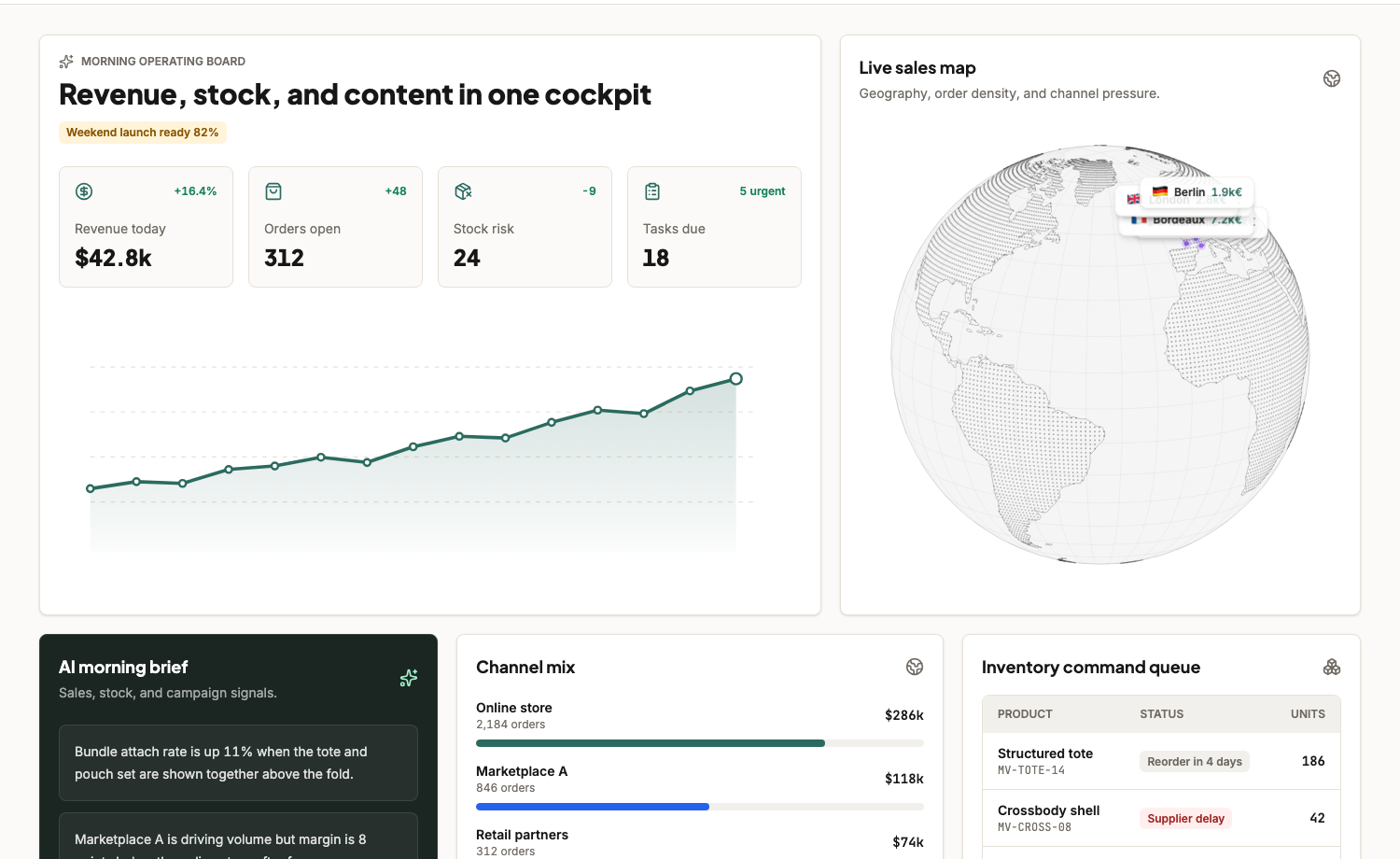
Commercial pulse, open orders, launch readiness, and geography show up together so the day starts with the real state of trade.

  • Revenue, orders, stock risk, and urgent tasks in one board
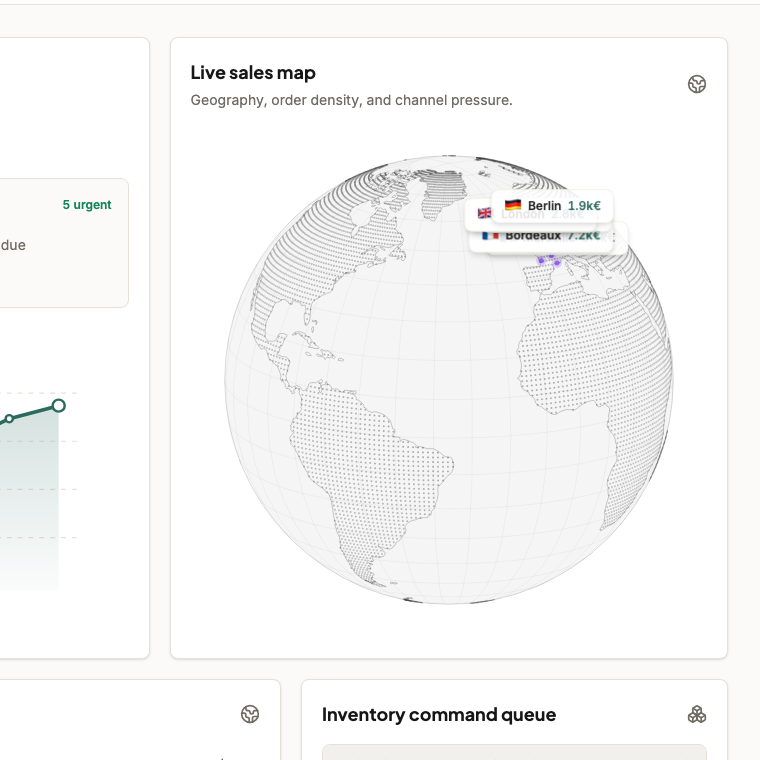
  • Geography and order-density context for operators
  • Launch-readiness view instead of separate check-ins
02

Command layer

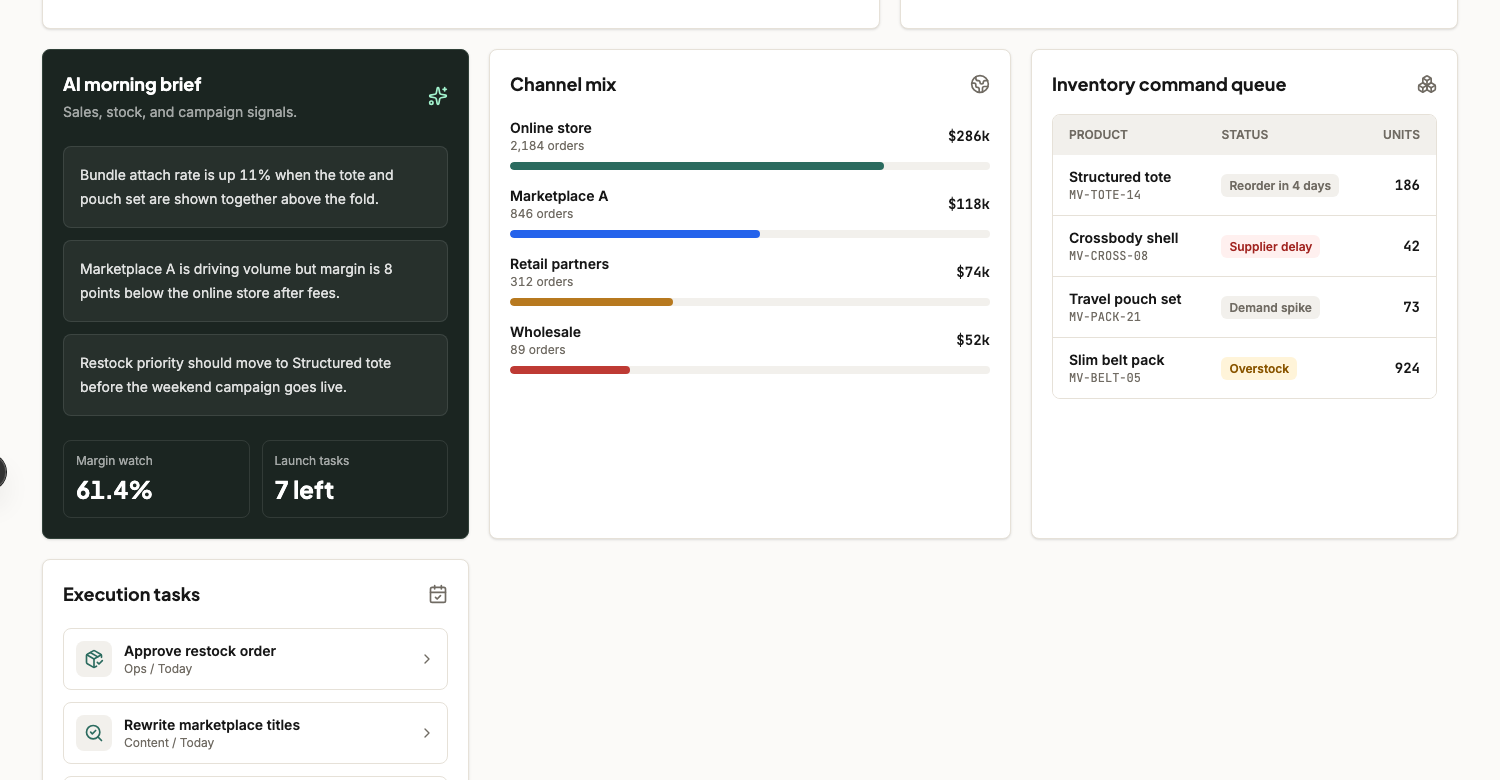
Operators get the brief, the channel mix, and the inventory queue on the same page instead of in separate tabs and Slack threads.

  • AI morning brief for margin, launch, and demand signals
  • Channel mix with order and revenue context
  • Replenishment and exception queue with clear priority
03

Execution layer

Tasks and core operating metrics stay connected to the same cockpit so the team can move from signal to action without another handoff.

  • Execution queue for ops, content, logistics, and growth
  • Fulfillment, shipment, and launch pressure in the same rhythm
  • One board for what needs approval, stock, content, or action next

The actual layers

Open the cockpit and inspect every screen.

Each surface shows a different part of the operating layer — the commercial read, the control layer, and the execution rhythm underneath.

Morning operating board

Surface 01

Morning operating board

Revenue, orders, launch readiness, and the live sales map establish the commercial picture at a glance.

Demand geography

Surface 02

Demand geography

See where orders are clustering so commercial pressure, expansion, and regional demand are visible without another reporting layer.

Merchandising and stock command

Surface 03

Merchandising and stock command

The brief, channel mix, inventory queue, and execution tasks stay attached to the same cockpit so operators can move in one pass.

What gets wired in

Enough depth to run the day from one surface.

The cockpit earns attention when reporting, workflow state, and live decisions are tied to the same operating layer.

What the cockpit handles

Revenue pulse and open orders
Stock risk and inventory command queue
AI morning brief for the operating day
Channel mix with margin and order context
Geography and order-density views
Task and launch pressure tied to the same board

Decision rhythm

  • Reorder before demand spikes turn into stockouts or missed launches.
  • Catch channel margin drift before volume hides the problem.
  • Tie launch readiness, content blocks, and stock pressure to the same operating day.
  • Give commercial and ops teams one board instead of a weekly scramble across tabs.

What gets built

  • Commerce overview shaped around your KPIs
  • Inventory, replenishment, and risk states
  • Operating briefs for commercial and ops teams
  • Launch-readiness views and task ownership
  • Signal tracking across channels and regions
  • Executive layer for what needs a decision now

Inputs and signals

The cockpit gets valuable when commercial data, workflow state, and operating context feed the same decision surface.

Storefront orders and commercial totalsInventory, replenishment, and stock thresholdsLaunch calendar and content workflowChannel performance and margin pressureShipment exceptions and logistics statesTask ownership across ops, growth, and content

Refund after Map week if no fit.

Fixed scope means we eat the risk of overrunning, not you.

Book a Map week

If this is close to your operating pressure

Map your version. Decide after.

The build is shaped around your data, workflows, owner logic, and the decisions leadership needs to make faster. After Map week, you decide whether to ship.

Fixed scope · 4–6 weeks · refund after Map week if no fit.

Book a demo